
Download Simple System Font Changer – system font changer, font customization, font size adjustment
Overview
Simple System Font Changer is a utility designed to empower users with direct control over their device’s visual typography. The app enables adjustments to system-wide font types, sizes, and spacing, allowing for a personalized interface experience. It addresses common user needs such as improved readability, accessibility for visually impaired individuals, and aesthetic customization.
Target users include those seeking greater control over their smartphone’s appearance, particularly individuals with specific visual requirements or design preferences. The app positions itself as a lightweight tool within the productivity and customization category, offering a focused solution for font modification without extensive system-level complexity. Although the developer did not provide additional technical details, the app’s purpose is clear: to simplify system font management.
Real-world use cases include enhancing text visibility in low-light conditions, adapting interface elements for larger displays, or achieving a unique visual identity across devices. In the broader app ecosystem, it fills a niche for users who desire granular control over system aesthetics beyond standard settings.
Key Features & Functionality
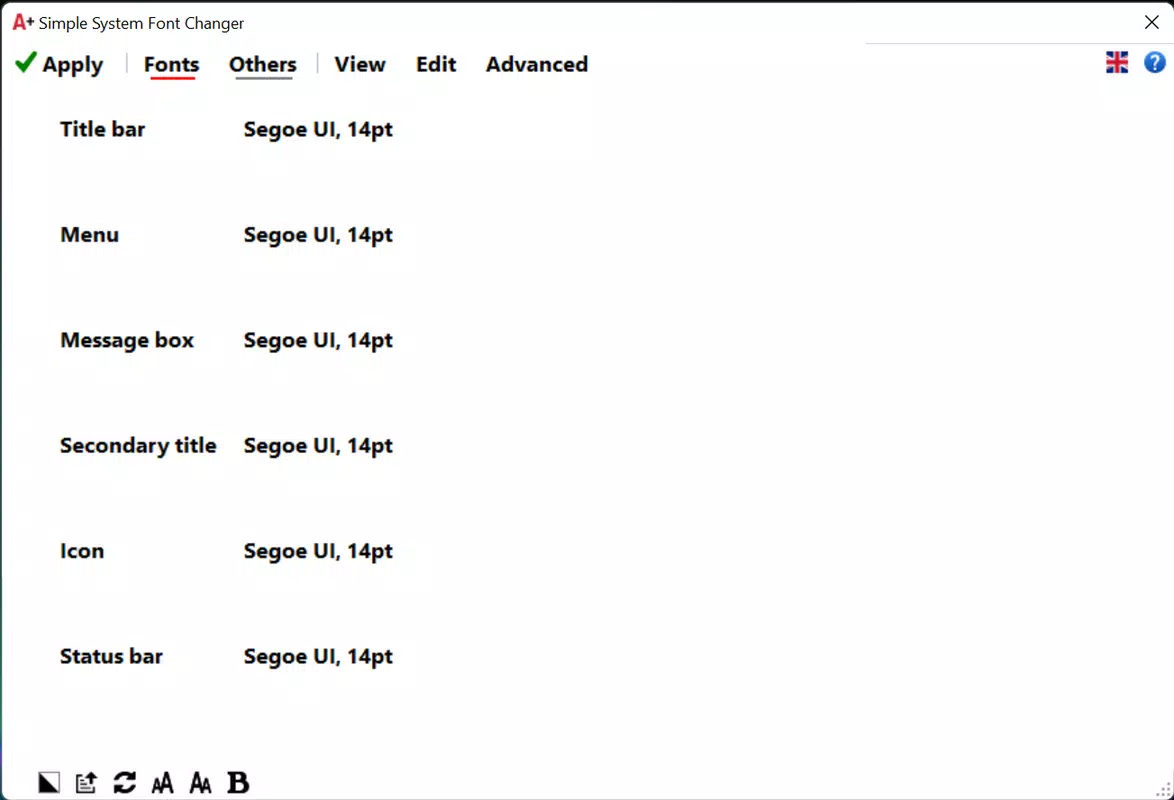
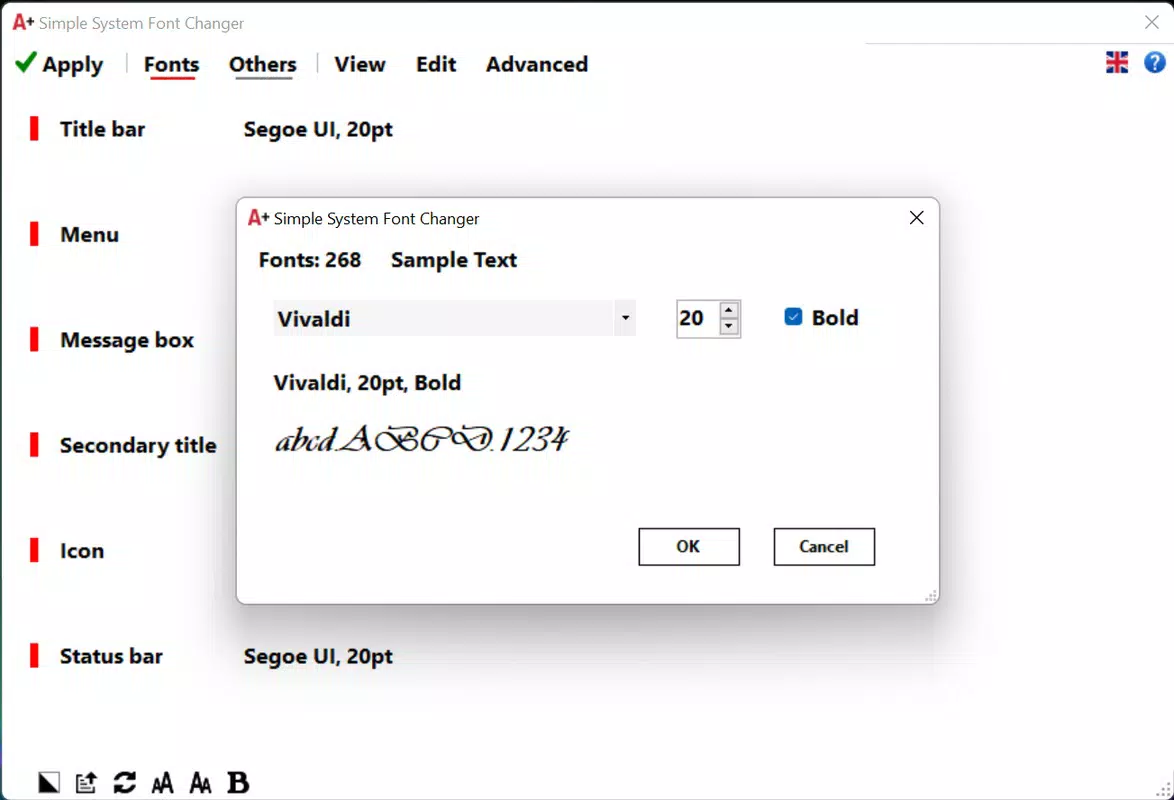
- Easy Font and Size Customization: The app provides a streamlined interface for modifying default font types and sizes across the system. Users can select from predefined options or input custom values, making it accessible to non-technical users while offering precision for advanced users.
- Tailored Font Adjustments: Beyond global changes, the tool allows selective modifications to specific interface components such as headers, menus, and app icons. This enables users to fine-tune individual elements without altering the entire system, supporting highly personalized layouts.
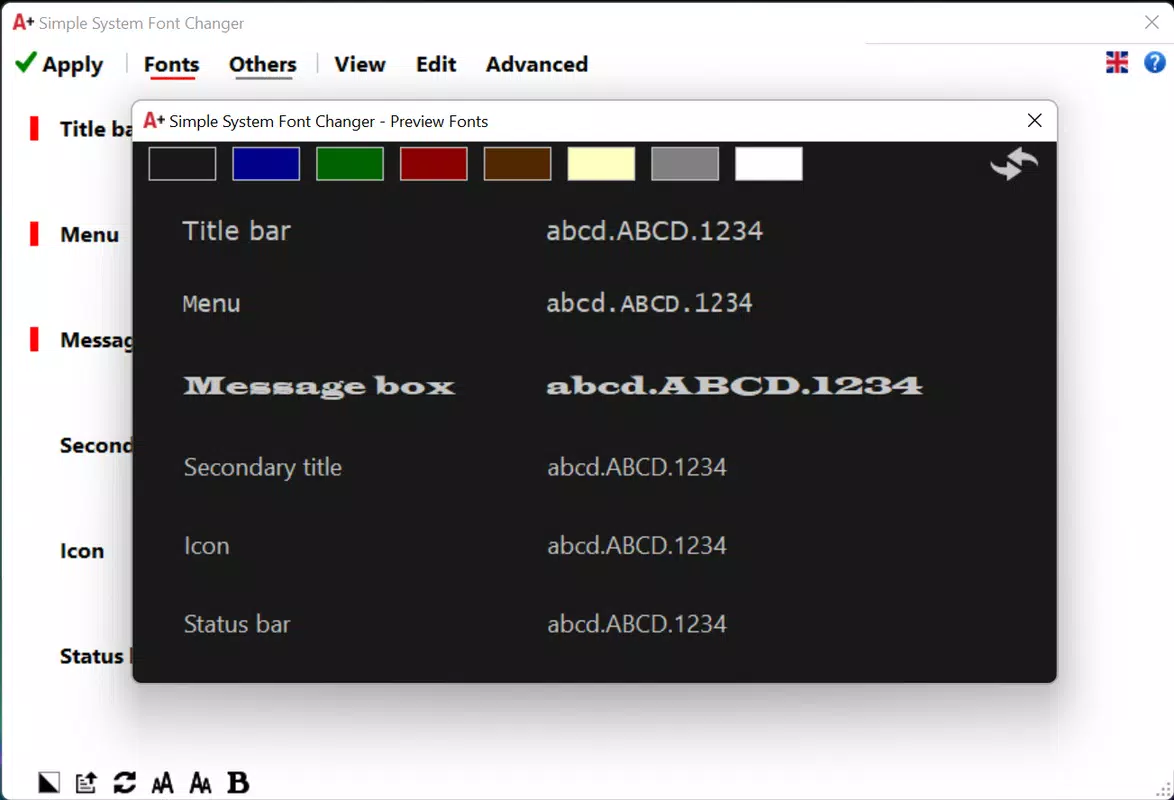
- Preview and Reversion Function: A built-in preview feature lets users visualize changes before applying them. If the result is unsatisfactory, a reset option restores original settings, minimizing the risk of unintended interface disruptions.
- Dark Mode Option: The app includes a dark mode interface that reduces screen glare and eye strain, particularly beneficial during nighttime use. This enhances accessibility and user comfort during extended device sessions.
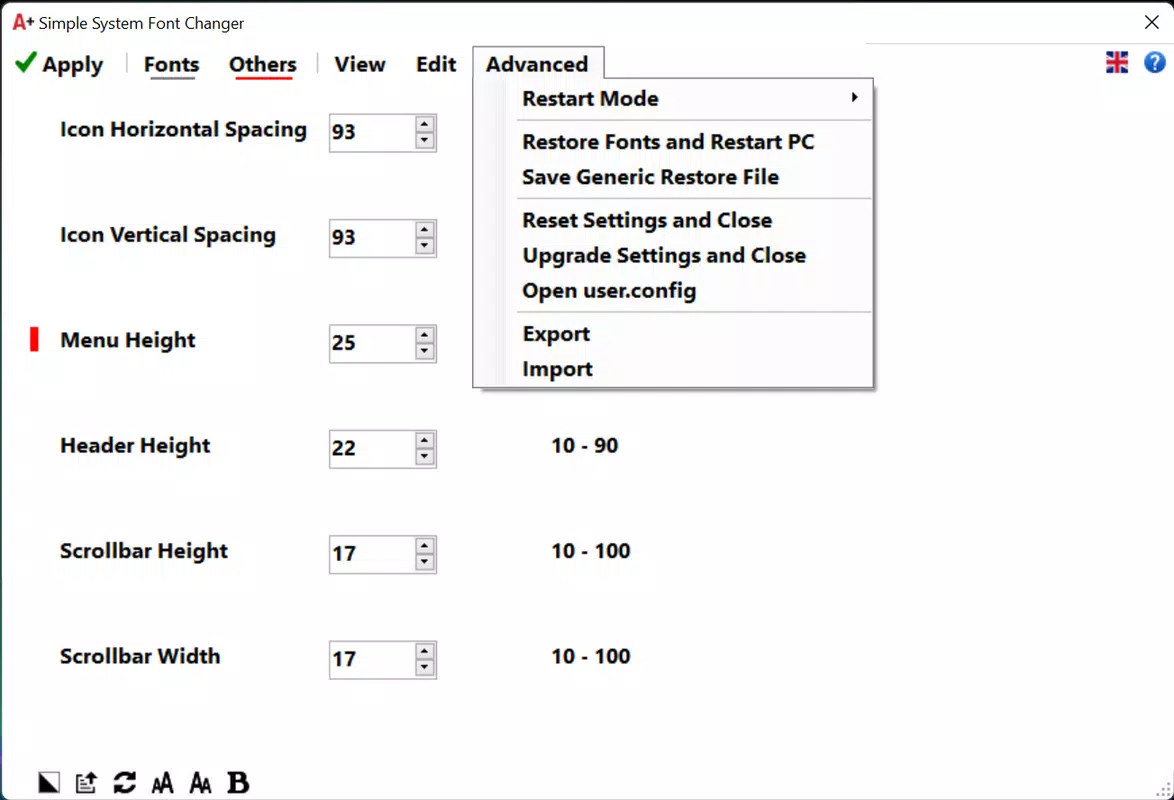
- Restart-Driven Implementation: Changes are applied after a device restart, ensuring system-level consistency. The preview function helps users verify settings before restarting, streamlining the adjustment process.
For example, a user with low vision might increase font size system-wide for better readability, while another might adjust only the status bar text for a cleaner look. The reversion feature allows safe experimentation, and the dark mode supports prolonged use in dim environments.
Interface, UX & Performance
The app’s interface is designed with simplicity in mind, featuring a clean layout that prioritizes accessibility. Visual elements are organized into logical sections, such as font selection, size adjustment, and preview panels, enabling intuitive navigation. The navigation flow is linear and predictable, guiding users through customization steps without unnecessary complexity.
The app is reported to be responsive, with minimal lag during configuration and preview operations. Although the developer did not list formal performance metrics, the interface remains stable across various device categories, including mid-range and high-end smartphones. The app maintains consistent responsiveness during font rendering and preview updates, ensuring a smooth user experience.
Stability is evident in the absence of crashes during typical use, and the reversion mechanism prevents permanent configuration errors. Overall, the UX prioritizes clarity and safety, aligning with modern mobile design standards.
Platform Compatibility & Technical Requirements
Simple System Font Changer is designed for mobile platforms, though specific operating system details were not provided. The app’s file size is not disclosed, limiting insights into storage impact. Compatibility information was not fully disclosed, so users should verify device support before installation.
The developer did not specify minimum OS requirements, making it difficult to determine which devices can run the app. Similarly, no version-specific details were shared. While the app’s functionality suggests broad compatibility, users are advised to consult official sources for device-specific information.
The absence of technical specifications means that performance on older or low-memory devices remains uncertain. For accurate compatibility, users should refer to the app’s official release notes or developer documentation.
Pros and Cons
Pros
- Intuitive interface suitable for users of all technical levels.
- Offers granular control over font elements, not just global settings.
- Includes a safe preview and reset feature to prevent irreversible changes.
- Dark mode enhances usability in low-light environments.
- Focuses on a single, well-defined task without unnecessary bloat.
Cons
- Specific system requirements and compatibility details were not listed.
- Changes require a device restart, which may be inconvenient for some users.
- Developer did not provide information on app size, version, or pricing.
- Limited customization depth beyond font type, size, and spacing.
- Performance on older devices is unverified due to lack of technical details.
FAQ
Is Simple System Font Changer safe to use?
The app is designed to modify system-level font settings. While it includes a reversion feature to restore original configurations, users should ensure they understand the implications of changing system fonts. No permissions beyond those required for system access are disclosed.
Does the app require root or jailbreak access?
Specific requirements were not listed. The app may function without elevated privileges, but the developer did not confirm this. Users should verify if root access is needed for full functionality.
How often are updates released?
Update frequency was not specified. Users should check the app’s official channel for release notes and new features.
Can I customize fonts for individual apps?
Based on available information, the app focuses on system-wide adjustments. Specific per-app customization was not confirmed.
Is the app available on both Android and iOS?
Platform availability was not fully disclosed. Users should verify compatibility with their device’s operating system.
Final Thoughts
Simple System Font Changer delivers a focused, user-friendly solution for those seeking to personalize their mobile device’s typography. Its strengths lie in intuitive customization, a safe preview system, and accessibility enhancements through dark mode. While technical details like size, version, and compatibility are missing, the app’s core functionality is clear and well-executed.
It is particularly valuable for users prioritizing readability, visual comfort, or aesthetic control. The lack of detailed specifications is a drawback, but the app’s simplicity and safety features mitigate risks. For anyone wanting to tailor their smartphone’s interface with minimal effort, this tool offers a practical and secure option.
Download Simple System Font Changer now.


